











• TRUSTED RESEARCH

    TRUSTED RESEARCH | STRATEGIC INSIGHT

    SMB. CORE MIDMARKET. UPPER MIDMARKET. ECOSYSTEM
    LEARN MORE
  • BUYER JOURNEY

    BUYER JOURNEY

    SMB & Midmarket Buyers Journey Research
    LEARN MORE
  • BUYER PERSONAS

    BUYER PERSONAS

    SMB & Midmarket Technology Buyer Persona Research
    LEARN MORE
  • ARTIFICIAL INTELLIGENCE

    ARTIFICIAL INTELLIGENCE

    SMB & Midmarket Analytics & Artificial Intelligence Adoption
    LEARN MORE
  • DATACENTER SOLUTIONS

    DATACENTER SOLUTIONS

    SMB & Midmarket Datacenter Solution Adoption Trends
    LEARN MORE
  • INTERWORK 2.0: THE AGENTIC FUTURE OF CONNECTED BUSINESS

    INTERWORK 2.0: THE AGENTIC FUTURE OF CONNECTED BUSINESS

  • 2026 TOP 10 SMB BUSINESS ISSUES, IT PRIORITIES, IT CHALLENGES

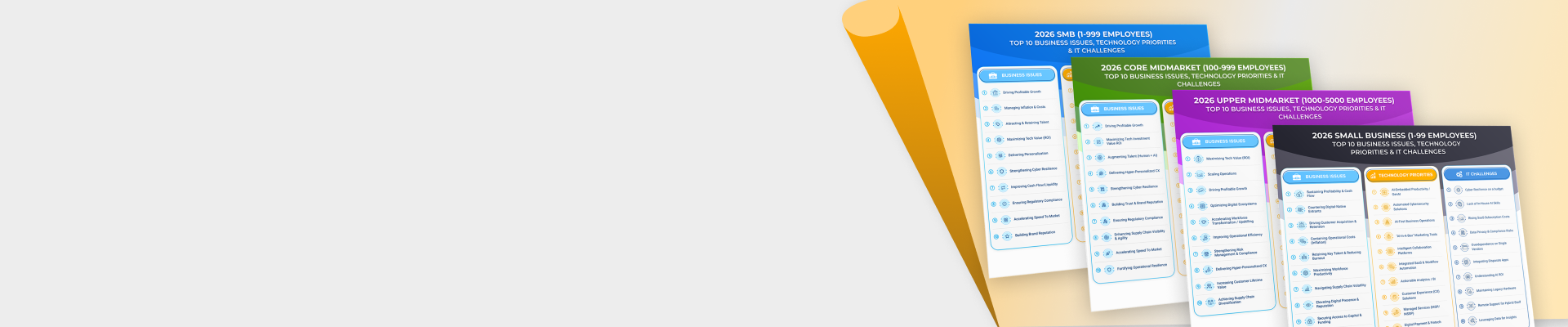
    2026 TOP 10 SMB BUSINESS ISSUES, IT PRIORITIES, IT CHALLENGES

  • 2026 TOP 10 SMB PREDICTIONS

    2026 TOP 10 SMB PREDICTIONS

    SMB & Midmarket: Autonomous Business
    READ
  • 2026 TOP 10 PARTNER PREDICTIONS

    2026 TOP 10 PARTNER PREDICTIONS

    Partner & Ecosystem: Next Horizon
    READ
  • IT SECURITY TRENDS

    IT SECURITY TRENDS

    SMB & Midmarket Security Adoption Trends
    LATEST RESEARCH
  • PARTNER ECOSYSTEM

    PARTNER ECOSYSTEM

    Global Channel Partner Trends
    LATEST RESEARCH

Techaisle Analyst Insights

Trusted research and strategic insight decoding SMBs, the Midmarket, and the Partner Ecosystem.
Anurag Agrawal

Seven Lessons for Successful deployment from Current SMB VDI and DaaS Users

Where is the market for client devices going – and what does it mean to corporate strategy? These are questions that Techaisle and its clients – and the industry as a whole – has been wrestling with ever since the decline of the traditional PC opened the door for alternative client technologies.

In many cases, users now combine mobile and fixed devices, and with this multi-device approach, consistency and security become even more important than they were in the laptop era. Many organizations are responding to a need to securely manage and distribute user data and applications by investigating virtual desktop (VDI) technologies enabling delivering of “desktop as a service,” or DaaS. With VDI/DaaS, businesses deploy client virtualization technologies from suppliers like Citrix and VMware to ensure that users have anywhere/any time/any device access to current information, their applications and their desktops. These technologies allow for better data security and auditability, and often offer the additional benefits of reduced CAPEX and OPEX.

The allure of VDI and DaaS is clear – but the technology itself and the path to realizing its benefits can still seem somewhat mysterious to many small and mid-sized businesses. To understand implementation challenges and lessons learned, Techaisle conducted depth interviews with small and mid-market businesses (from 50 employees to 999 employees) that are currently using VDI and/or DaaS solutions. Based on a random sampling these businesses belonged to financial services, professional services, manufacturing, construction, utilities, retail and private education segments. These early adopter SMBs have rolled out VDI and/or DaaS solutions within their organizations. The number of users using VDI and/or DaaS within the businesses interviewed ranged from a low of 30 employees for a small business to a high of 600 employees within a mid-market business.

Techaisle’s quantitative VDI/DaaS research shows that the key user objectives in adopting either on-premise or hosted VDI/DaaS solutions revolved around mobility, application availability from anywhere and on any device, disaster recovery, centralized management and administration of end-point devices at the same time reducing costs. Based on users’ real-world experiences and feedback, Techaisle has compiled a list of seven key lessons for success for small and mid-market businesses planning to adopt VDI/DaaS solutions.

1.       Prepare a roadmap of the solution and a blueprint of implementation process

Before starting the implementation process and before even considering a pilot, current VDI/DaaS users advise potential users to create a roadmap of the solution and a blueprint of implementation process. The roadmap and blueprints should include solution and brand selection criteria, a list of solution components and their objectives, changes required (if any) to the core infrastructure to support the solution, costs involved and budgets for cost overruns, security vulnerabilities, phase-in of users and their training process and timeframe for enhancements post implementation.

2.       Hire external consultants - people who have experience

It is almost impossible to develop a roadmap and blueprint without the guidance and close involvement of experts.  All SMBs that we interviewed had contracted with external consultants varying in size from a group of 4-5 to a maximum of 40-50 people. In each case, consultants were preferred over resellers and service providers due to their focused deep expertise and track record. However, each of the current users of VDI/DaaS had decided on either Citrix or VMware solution prior to engaging with consultants with corresponding expertise.

“We approached our known consultant which is a small company formed by 6 to 7 people and have expertise in VMware solution. They are highly technical professionals providing free infrastructure and free connectivity support and covering infrastructure maintenance and end user connectivity”.

“We preferred going with Consultants as they had solution specific expertise. They gave optimal options taking into consideration both cost and technology sound solution. They even offered technical assistance even after post implementation and maintenance for one year. They are a small company with VMware expertise formed by a core group of people”.

“We approached consultants, a small group of people, with deep Citrix expertise, because they had relevant qualifications and certification”.

3.       Ensure that the solution supports legacy software

Not all SMBs are using all modern applications; many mid-market businesses have core legacy applications and/or applications that are essential to a specific department and workgroup. Current SMB users of VDI/DaaS advise that the blueprint prepared should include a list of applications currently being used within the organization and to systematically test to ensure that they will continue to be supported in the new DaaS environment.

The VDI/DaaS SMB users also advise that businesses should also revisit the current licensing arrangement they have for some of their applications and ensure that in a virtualized environment those licenses are valid and applicable.

“We learned during the implementation phase that not every application is supported by VDI or DaaS solution. It is difficult to understand and analyze the amount of storage used by different departments”.

“The main concern was with software licensing concerns. Few of our application’ licenses restricted the use of software on systems accessed by terminal servers. There were issues coming up initially that affected our end users as these applications were not accessible on multiple virtual desktops”.

“The main concerns were the length of the project, the cost of the project and back end integration. Backend integration was a major concern as we have legacy application running on the system”.

4.       Get the business users ready

Business users do not like changes that affect their interfaces – it takes time to build new usage habits, and this can (and generally does) have a short-term impact on productivity. Although a VDI/DaaS roll-out is often used to deliver better mobile systems to business users – generally, a well-received benefit – it is essential to prepare the business users with new interfaces, log-ins, support mechanism, and training on the use of thin clients. This will require IT to manage a number of VDI/DaaS-specific issues, including application downloads to user devices, management of persistent or non-persistent desktop experiences, and tactics to address latency if/where it impacts performance.

“A challenge we faced post implementation was to manage new rounds of user trainings. The new solution meant introduction of a different system to the users and one where users had to undergo a series of trainings to become comfortable with it”.

“The main challenge that we faced was user training and that was a really big concern for us”. 

“We had to give training to users in about two weeks which was taken out of their operational hours and once the service was put in place the learning was steep, the users were not very productive during that time”.

“Most of the issues were to do with the users who were unable to come to terms with the changes and the content that could access easily”.

5.       Conduct a pilot

Conducting a pilot helps in fine tuning the roadmap and blueprint for implementation.

“During the pilot test, we observed a need to modify our terminal server as they were not responding to the end users request. Then we decided and made changes in terminal server by making a cluster of terminal servers so that similar end users request would be sent to desired terminal server, to cut down network traffic congestion”.

“At the initial stage we started facing issues which were basically related with bandwidth or poor network response. We decided to increase our bandwidth for offering end-users customizable experience similar to that of a physical desktop”.

“In the pilot stage some issues popped out. First of all, the expected cost for the pilot stage rose considerably. Also we got a mixed reaction from the team using it as some said they were able to fully utilize the resources, whereas when we tested it over other networks like WLAN, the data was not accessible”.

6.       Create a detailed budget, be prepared for cost overruns

The current users of VDI/DaaS suggest that potential adopters should budget 25 percent for software, 20 percent for services, 20 percent for networking and one-third for hardware. The percentages vary for small businesses where the budget allocation for hardware varies between 10-15 percent and the proportional cost of software rises to 30-35 percent. Current users advise businesses that have legacy applications to allocate higher budgets for hardware and services, as high as 45 percent and 35 percent respectively.

As many as 40 percent of SMBs indicate that cost overruns of 10-20 percent is a given.

“There was additional expenditure required. The testing phase was difficult as we had to change our server and switches”.

“In testing phase we found out that the users had to get software assurance which delayed the project, delayed purchase of licenses and forced additional expenditure”.

7.       Upgrade server and network infrastructure

The most common and almost universal changes to the IT infrastructure to prepare for VDI/DaaS usage are installation or upgrades of blade servers, upgrading cabling to fiber optics cable thus enabling substantially higher data bandwidth, replacement of switches for routing higher throughputs, installation of thin clients and in some cases increasing storage.

Current users generally opted for specific server and thin client brands based on either recommendation from their consultants or because of existing relationships. Brands most often used were IBM, HP and Dell. Most SMBs preferred to use Blade Servers.

“We upgraded cabling by using fiber optics cable which boosted our bandwidth and smooth flow of data from the data center to the end users. We used fiber optics as it was a cost effective solution for us rather than going on with existing metal cabling which had an impact on bandwidth”.

“Networking and replacement of cabling was one issue as it did not work with the solution initially, the cabling between the server switches and office switches and for this we looked for fiber cabling”.

Concluding observations

The need for VDI/DaaS as a mobility enabling technology is clear, and its corresponding benefits for user experience and data management are compelling. However, the path to VDI/DaaS can be tricky to navigate. By capitalizing on the advice provided by current users, SMBs interested in adopting VDI/DaaS can set realistic objectives and expectations, and can manage confidently towards effective deployment.

Tavishi Agrawal

Office 365, A Path to the Cloud for SMBs?

It is a well-known fact that every new platform or major shift in technology requires a killer app. For PCs it was largely basic productivity apps such as word processing and spreadsheets and presentation software. While platforms have changed, these basic productivity apps maintain their killer app status.

Office 365 from Microsoft is a single suite that takes the popular, dominant Office applications and puts them in the Cloud. You can read the CNET review here. We believe this is a boon for SMBs. Over the years, these productivity apps have become very expensive as their capabilities have expanded. Even so, SMBs depend on these to such an extent that they bite the bullet and purchase these for every person in the office. With Office 365, SMBs can now shift that capital expense into the operating expense category, paying $6/month per user (for SMBs with fewer than 25 employees) for the suite of Office applications. These apps are not full featured online replicas of their desktop based kin. They offer limited functionality but the 80-20 rule applies here. The majority of functions most people need are in fact available. Even if an SMB does not shift all of its employees to Office 365, they can still save money by shifting part of their workforce that does not require the full featured desktop versions. In other words, why buy a Lexus when a Corolla will do.

One aspect that can be problematic for SMBs considering using Office 365 is that it forces a firm to move their domain to Microsoft or its partner hosting the solution. But companies that have already invested in a website will need the help of a Microsoft partner to make Office 365 work for the organization without having to move the domain. And this is where Microsoft faces its largest stumbling block. For small companies, Microsoft does not have the infrastructure to support potentially millions of small businesses who may not have a partner or may not want to engage a partner. This begs us to question whether Microsoft is really committed to real small business. All signs point towards Microsoft focusing their efforts on gaining larger small businesses where they win more seats per deal. Really small businesses are the subject of a “breadth” marketing strategy which basically means that Microsoft will rely exclusively on partners or on the savvy of the small business owners themselves to sign up for and properly configure Office 365 services.

Some of the recent surveys conducted by Techaisle with Channel Partners shows that channels will begin reselling Office 365 although reluctantly. The first mover channels would be the ones that currently offer BPOS, Hosted Exchange, and Hosted SharePoint. These channel partners could be service providers or smaller VARs who are the trusted advisors to the very small businesses typically less than 25 employees.

Office 365 is a great idea and is a good first attempt from Microsoft. But a good product must be backed by the right support systems. This is particularly important when products are being provided as a service. It changes the fundamental nature of Microsoft’s conversation with its customers. It is not software anymore. It is a service.

Abhijeet Rane
Techaisle

Tavishi Agrawal

SMBs Unmistakable March to Virtualization

The entire IT industry is on an unmistakable path to virtualization with certain segments adopting it faster than others (e.g. financial sector, hosting companies, etc.) Server virtualization is still the primary driver of virtualization although, in the last couple of years, VDI (virtual desktop infrastructure), which helps virtualize all client devices like desktops, laptops, tablets and smartphones has also shown remarkable growth. Storage virtualization is limited to the larger companies with vast amounts of storage although it will be an integral part of cloud delivery centers as well as integrated/converged data centers. These trends will make virtualization a growth market for several years.

While large companies are adopting virtualization on their in-house infrastructure, only certain SMBs are likely to adopt in-house virtualization. Most will be delivered virtualized solutions (especially VDI) via virtual infrastructures by hosters.

The largest share of Virtualization adoption by SMBs comes from North America, however, Asia/Pacific is the place to be. Asia/Pacific right now shows two distinct trends. On one hand, we see a number of smaller companies adopting in-house IT infrastructures. On the other hand, businesses with somewhat larger IT needs have started to adopt virtualization and the trend is expected to gain momentum in the near future. Armed with latest information about latest technologies and driven by rapid business growth (and corresponding growth of their IT infrastructures), Asia/Pacific businesses have shown a high openness towards, and willingness to adopt virtualization. In many cases, virtualization is an integral part of the discussions while designing and implementing new IT infrastructures among Asia/Pacific businesses.

The growth rate of Virtualization in Asia/Pacific is a little over 28 percent from 2010.

Virtualization reaching the Consumer Market
Virtualization is already being used by consumers and small businesses widely. The most common example of this is Parallels, which allows consumers to run Windows operating systems on their Apple machines. (Other vendors also have comparable products to help consumers run multiple OS’ on their machines.

Microsoft has also made virtual machines integral to its Windows 7 OS that allows users to run their Windows XP applications on their new Windows 7 operating systems.

In the near term, this trend of using multiple OS’ on a single machine will accelerate. Further down the road, it is entirely possible that increasing reliance on cloud-delivered services may reduce the users' need for on-site virtualization. But that is still further down the road and the exact trend is still an open question.

Market Leader in Virtualization
VMware is still the dominant leader with over two-thirds to three-fourths of the market for server virtualization. What contributed to its leadership position is that it has the benefit of an early start, a broad range of supporting products for managing virtual environments, a strong channel and partnerships with most leading vendors for the resale of its products.

Challenging VMware's Market Dominance
VMware has three major advantages: its portfolio of products, ecosystem to implement and support VMware's environments and brand recognition. Any competitor who hopes to compete with VMware head on will need to at least match VMware's strengths in these areas. Citrix is gaining traction, especially with its VDI initiatives. Microsoft has the potential to compete with VMware but will need to focus more. Other competitors are still in early phases and unlikely to pose a major threat to VMware in the short term.
Various attempts at open source solutions that would reduce or potentially eliminate the reliance on the underlying virtualization platform are still in very initial stages. Theoretically, adoption of open solutions will avoid a vendor lock-in by customers as they would be able to move applications easily. Even if the efforts take off, it'll take a few years to have any material impact on VMware's dominance. A greater source of threat for VMware is competition from other vendors like Citrix, Microsoft and other smaller vendors (including potentially Oracle).

VCE's vision of integrated data centers needs to be supplemented by tangible products for its eventual success. It might take some time before such integrated data centers are designed and developed and gain customer acceptance. However, short-term ups and downs aside, the industry will move towards such integrated products coming from various vendors (e.g. HP's converged infrastructure). These integrated modular data centers will make it much easier for companies to install them and reduce their costs for designing, installing and maintaining these data centers.

Tavishi Agrawal
Techaisle

Anurag Agrawal

Salesforce.com Strategy: Dreamforce '11 Announcements Are Equally Relevant for SMBs

Pilgrimage
Salesforce.com held its annual customer and partner pilgrimage last week called the Dreamforce 2011. This mega event had a whopping 45,000 registered attendees and at least 15,000 were present for the opening keynote by Marc Benioff. The much anticipated keynote was given by Marc Benioff who no doubt he is a master marketer.  He
successfully drilled home the message of Social Enterprise and how Chatter fits
neatly into the vision of new type of collaboration, interaction and customer
acquisition.

In fact not only the keynote but the entire event had widespread case studies from large enterprises that were using Chatter as their hub for all internal conversation. Heavyweights from Coca Cola, Burberry, NBC Universal, Verizon and others were there to lend support and show how Salesforce.com was helping them transform their sales organizations. Even the billboard cut outs had quotes from CEOs of prominent enterprises touting the benefitsof Chatter  on multiple devices such as iPads, Tablets and mobile phones.

Key Announcements
The event was very significant in more ways than one. On the one hand it had four key announcements while on the other it did not talk a lot about SMBs. But contrary to popular sentiments many of the announcements may actually be very relevant for SMBs.

Four Key Announcements were:

    1. Chatter: ability to create and maintain a private social network for business and soon to be available (Chatter Now, Chatter Customer Groups, Chatter Connect, Chatter Inline Filters, Chatter Approvals)


    1. Data.com: ability to create targeted lists from 30+ million business leads from Jigsaw as well as 200+ million in-depth company profiles from D&B and connect them into the CRM process


    1. Database.com: a database for the business built and used in the cloud


    1. Touch.salesforce.com: built in HTML5 with the capability of rendering any app built on Force.com platform to any mobile device without modification


SMB Suitability?
While all of the above technologies are great for Enterprises some are better suited for SMBs than others, especially for the less than 100 employees’ businesses. Last year Salesforce.com had revenues of $1.6 Billion with over 100,000 customers (Salesforce.com Annual Report). This suggests an average of $16,000 per customer and much fewer than 100 users per customer. And this leads us to believe that most of Salesforce.com’s customers are upper-mid-market businesses. The above announcements fall firmly within the realm and sweet spot of the 100-999 employee size businesses.

Chatter as an SMB Collaborative Platform
As per Techaisle’s continuous Global SMB research, a small business (1-99) has an average of 8 employees in the US and 20 percent, that is, 1.2 employees per small business are on the Cloud. With this low number of employees will Chatter be a viable option for small businesses? These small businesses are already overburdened and hamstrung with using Facebook, Twitter and other external facing social networking channels? The answer is yes with some modifications. Recent Techaisle study shows that 81 percent of SMBs are adopting mobility solutions, 66 percent of small business employees and 48 percent of mid-market employees either work from home or travel for work at least once a week. For these employees and business owners collaboration is a top of mind issue. To that extent Chatter is a great collaboration tool. Chatter makes the work from anywhere and anytime easier for SMBs. It makes it all the more important for mid-market businesses to adopt Chatter as they have an average of 125 employees per business and 30 percent of them are on cloud.

Database.com & Data.com
This is where the divergence begins. Are database.com and data.com relevant for SMBs? Yes, but the pricing and unpredictable monthly expenditure may limit SMBs’ use and deployment. Database.com is being offered free for up to 3 standard users, 3 admin users, 100,000 records and 50,000 transactions per month. Both a B2C SMB and B2B SMB will have more than 100,000 records but necessarily not 50,000 transactions. It also depends upon the size and vertical of the business. Therefore, it will take time for proper used cases to accumulate before SMBs and their channel partners can begin to recommend such a
solution.

Data.com is quite a powerful tool priced at $99 per user per month. This allows up to 300 records per month to be imported with additional records at $0.50 per record. This is quite an attractive pricing for SMBs.  However, it would be up to their channel partners to show them the value along with some price comparisons. Most SMBs may require more than 300 records per month while others may require less depending upon their coverage areas. More mid-market businesses would be able to use it rather than small businesses.

Jigsaw (genesis behind data.com) suffers from its crowd sourcing practice [in that it is populated by people in exchange of credits to see other people] - often data is not up to date and the proportion of businesses contacts tend to be of large enterprises, so not a lot for SMBs to get records and lists of neighborhood businesses, non-profits and other organizations. This may create a dilemma for an SMB paying customer if they cannot find relevant contacts.

Next Steps for Salesforce.com's SMB Strategy
As the adoption of salesforce.com continues within large enterprises it begins to look like ERP implementations of yesteryears. The cost to switch is tremendous. With a great messaging from Salesforce.com enterprises are willing and able to deepen their relationship with Salesforce.com.

Techaisle’s Cloud Computing research and market sizing shows that Cloud CRM spend by small businesses (1-99 employees) in the US alone is expected to be US$679 million in 2012. While Salesforce.com seems to have done well in the midmarket (100-999 employees) segment, 6 million small businesses (1-99 employees) in the US alone represent a huge opportunity.

Salesforce.com derives over two-thirds of its revenues from the US even though US accounts for just one-fourth of the world’s GDP and even other large tech companies derive a much greater share of their revenues from overseas than Salesforce.com. Techaisle's research shows a significant increase in awareness of and willingness to adopt SaaS solutions in several countries both among SMBs and Enterprises.  In fact only 35 percent of SMB Cloud CRM spends in 2012 is expected to come from the US.

Salesforce.com has yet to show its commitment and plan for a global SMB reach.

Salesfore.com has grown rapidly and the guidance for this year is also for continuation of that trend. However, the market conditions will begin to change with the the dramatic increase in awareness as well as potential supply of SaaS providers especially targeting the SMBs. Techaisle’s global research also finds that SMBs in selected markets also show a significant willingness to adopt various other SaaS solutions. Given the SMBs’ proclivity to purchase multiple solutions from a single provider, Salesforce.com should plan to broaden its offerings beyond CRM and also allow for easy and efficient integration with its
CRM offerings.

Salesforce.com has been a pioneer in the PaaS space with its Force.com offering. The platform is being used primarily by enterprises or channel partners (e.g. ISVs, VARs and systems integrators). To continue its reach within the SMB segments Salesforce.com has to develop a stronger channel ecosystem which could contribute to growth in its subscription base.

Anurag Agrawal
Techaisle

Trusted Research | Strategic Insight

Techaisle - TA